USB device-fingerprint registry

Removable Media Control

Control what may be copied to removable media, with a device-fingerprint registry so approved hardware is recognised and everything else is not.
Removable Media Control — USB device-fingerprint registry
The challenge

Why this one is hard.

Removable media walks data straight out of the building with no network involvement whatsoever. It is the channel every auditor asks about and the one most organisations control with a written policy rather than a technical one.

Blanket USB blocking creates its own problems. Engineers need firmware media, finance teams receive files from auditors, and a control that stops legitimate work generates exceptions until it means nothing.

What changes

BeforeAfter
USB is blocked entirely, and exceptions pile up.Approved devices work; sensitive content does not travel.
Nobody knows what left on a memory stick.Every write of protected content is evidenced.
Policy exists on paper only.Policy is enforced in the kernel, on the device.
How it works

Four steps from decision to evidence.

01

Register devices

Approved hardware is fingerprinted and added to a registry, so it is recognised wherever it is used.

02

Inspect content

Files copied to removable media are inspected against the detector catalogue before the write completes.

03

Apply the mode

Audit-only logs, selective silently redacts or quarantines, strict hard-blocks with an on-screen notice.

04

Evidence it

Every action is recorded with file, user, time and a masked preview of the match.
Capabilities

What you get.

  • USB device-fingerprint registry for approved hardware
  • Content inspection on write to removable media
  • Quarantine of sensitive files rather than blanket device blocking
  • Per-department policy through group-based profiles
  • Kernel-enforced, so it holds on unmanaged and offline devices
  • Regulator-ready evidence per finding
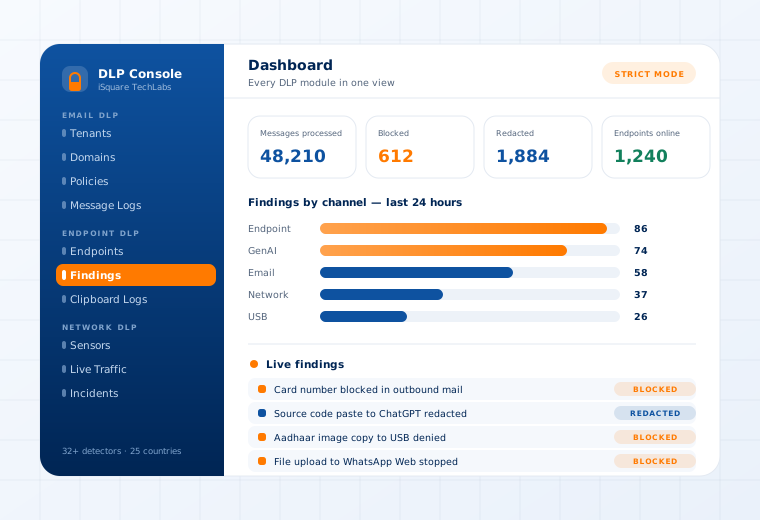
The Data Loss Prevention console showing findings by channel and a live findings stream

Supported

Media
USB mass storage · external drives · memory cards
Controls
Device registry · content inspection · quarantine · block
Operating systems
Windows · Linux · macOS
Policy
Group-based profiles per department
Questions

What buyers ask about this.

If yours is not here, our team will answer it directly.

Ask us
No, and we would usually advise against it. Content-aware control lets approved hardware work normally while sensitive files are quarantined or blocked, which avoids the exception spiral that kills blanket policies.
Each approved device is fingerprinted, so it is recognised across the fleet rather than having to be approved per machine. Anything not in the registry is treated according to your policy for unknown media.
Yes. Group-based policy binds a detector profile to one or many departments, and a device's group decides which policy it enforces. Groups bind by stable ID, so renaming one never breaks enforcement.
Related use cases

Often deployed alongside.

Clipboard, Screenshot & Print

Kernel-enforced on the device

Read more

Files, Images & OCR

Image-open and file-save blocking

Read more

Messenger Control

WhatsApp · Telegram · Signal

Read more

See this working on your own systems.

Bring the system you are worried about and we will show you exactly how this control would be applied to it.